How to Create a Blog Content Calendar You Can Actually Stick To
· Calmify
How to Create a Blog Content Calendar You Can Actually Stick To
You start the month with plenty of blog post ideas. You know what your audience wants to learn, you have a few topics ready to go, and you are confident that this will finally be the month you publish consistently.
Then work gets busy.
One article stays half-finished in your drafts. Another topic slips your mind. Your planned publishing day arrives, and you have nothing ready to go live.
If that sounds familiar, the problem might not be your ideas or your writing ability. You might simply need a better way to plan your content.
A blog content calendar gives you a clear view of what you want to publish, when each article should go live, and what needs to happen before publication. More importantly, it helps you create a schedule you can maintain without turning blogging into another source of stress.
Let's look at how to build one that works in practice.
What Is a Blog Content Calendar?
A blog content calendar is a planning system that organizes your upcoming articles by topic, publishing date, status, and other useful details.
Depending on your workflow, it might be a spreadsheet, a project management board, or a dedicated content publishing tool.
A useful calendar helps you answer five questions:
- What are we publishing next?
- Who is the article for?
- When should it be published?
- What stage is it currently in?
- What needs to happen before it goes live?
You do not need an elaborate editorial system to answer these questions. You need a reliable place to keep the information and a routine for updating it.
1. Start With Your Content Goals
Before adding dates to a calendar, decide what your blog should accomplish.
Are you trying to attract potential customers through search engines? Educate existing customers? Build authority in your industry? Generate leads for a service?
Your goals influence the topics you choose and the articles you prioritize.
For example, a software company might publish tutorials that solve common customer problems, comparison articles that help buyers evaluate their options, and practical guides that explain how to use its product.
A personal finance blog might focus on budgeting guides, explanations of financial concepts, and comparisons of common financial products.
Choose two or three primary content goals to begin with. This gives your calendar direction instead of turning it into a collection of unrelated article ideas.
2. Build a Bank of Article Ideas
One of the easiest ways to make blogging stressful is to decide what to write only when it is time to publish.
Instead, create a running list of potential articles.
Look at questions your customers ask, problems your product solves, discussions in your industry, and subjects your audience searches for online. Your existing sales conversations, support requests, and frequently asked questions can be excellent sources of ideas.
For each idea, record:
- A working title or topic.
- The audience it serves.
- The problem it addresses.
- Its connection to your business or website.
- Its priority.
Do not worry about perfecting every title at this stage. The goal is to build a useful pool of ideas you can draw from when planning each week or month.
3. Choose a Publishing Frequency You Can Maintain
Publishing more articles does not automatically mean running a better blog.
A schedule that looks impressive on paper but becomes impossible to maintain will eventually create a backlog of unfinished work.
Start with the time and resources you actually have.
If you run a business and handle your own writing, one strong article each week may be more realistic than publishing every day. If you manage a team, you might have the capacity for several articles per week.
Consider the full workload, not just writing time. Research, editing, fact-checking, formatting, adding images, reviewing SEO details, and publishing all take time.
Choose a frequency that leaves room for these tasks. You can always increase it when your process becomes more efficient.
Consistency is easier when your schedule reflects reality.
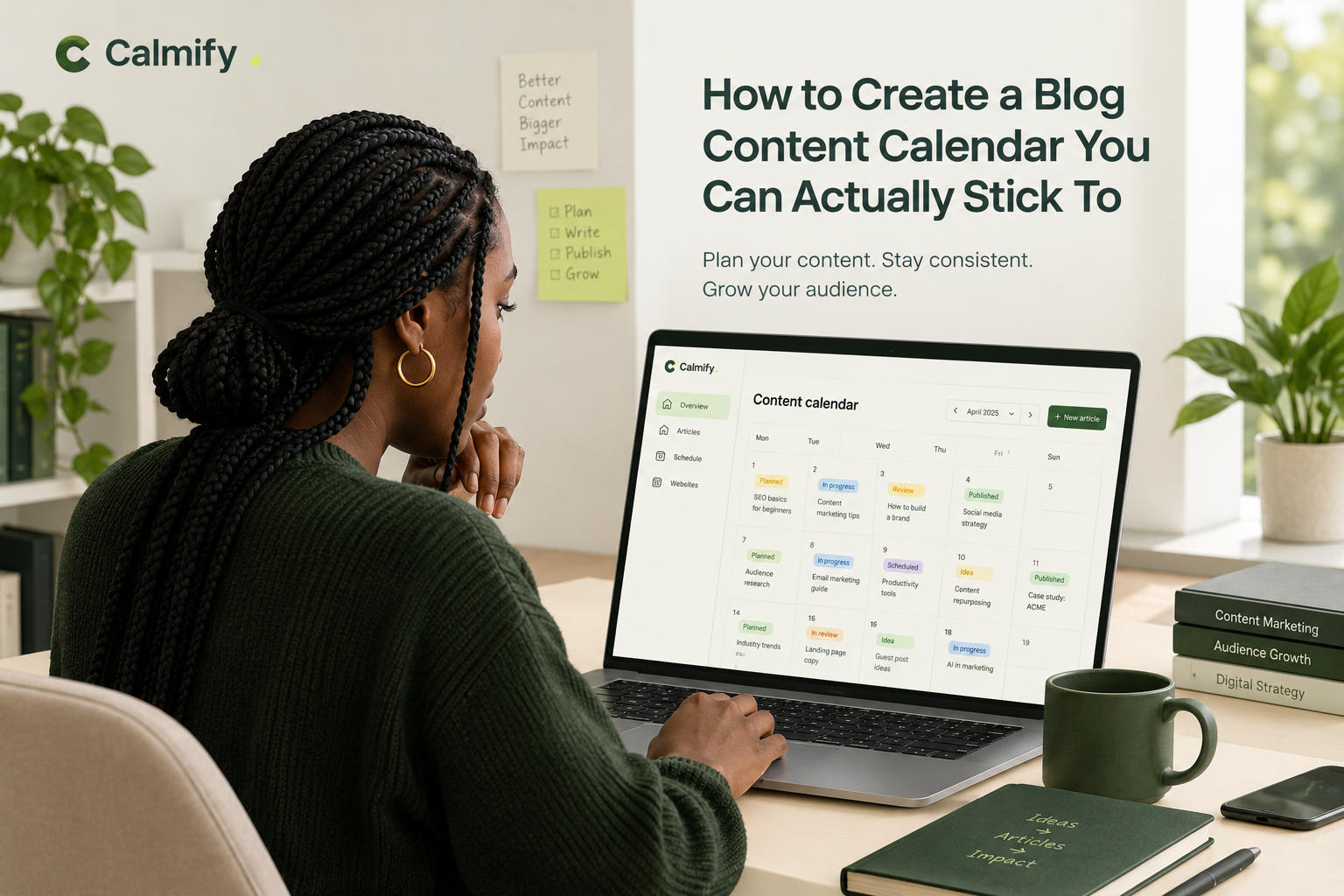
4. Give Every Article a Status
A list of article titles is useful, but it does not tell you what needs attention today.
Add a status to every article so you can see where it sits in your workflow.
A straightforward system might include:
Ideas: Topics you may want to cover.
Planned: Articles selected for an upcoming publishing period.
In progress: Articles currently being researched or written.
In review: Drafts awaiting editing, fact-checking, or approval.
Scheduled: Completed articles with a publication date.
Published: Articles that are live on your website.
These statuses help you identify bottlenecks. If you have twenty ideas but no scheduled articles, you may need to focus on production. If you have many completed drafts waiting for approval, your review process may be slowing everything down.
Keep the number of statuses manageable. A simple workflow that everyone understands is more useful than a complicated one nobody updates.
5. Plan Backward From the Publishing Date
A common mistake is to put a publication date on the calendar without planning the work required to meet it.
Instead, work backward.
Suppose you want an article published on Friday. Your schedule might look like this:
- Monday: Confirm the topic and outline.
- Tuesday: Complete the first draft.
- Wednesday: Edit and verify the information.
- Thursday: Prepare formatting, links, images, and SEO details.
- Friday: Publish and check the live article.
This is only an example. A detailed research article may need several weeks, while a short announcement may take a day.
The important point is to assign time for the entire process. A publication date becomes much more achievable when the work leading up to it is visible.
6. Balance Different Types of Content
A calendar filled entirely with one type of article can leave important audience needs unanswered.
Consider balancing your content across a few categories:
- Educational guides: Explain concepts and help readers solve problems.
- How-to articles: Walk readers through a specific task.
- Comparisons: Help readers understand the differences between options.
- Product-related content: Show how your product solves relevant problems.
- Case studies and examples: Demonstrate practical applications and lessons.
The right mix depends on your audience and business goals. A technical blog may need more tutorials, while a business blog might benefit from a combination of educational content and buying guides.
You do not need to follow a rigid ratio. Review your calendar regularly and ask whether your planned articles serve different needs along the reader's journey.
7. Keep Your Calendar in One Reliable Place
Your calendar only works if you can trust it.
When article ideas live in one document, deadlines sit in someone's inbox, and completed drafts are scattered across different folders, it becomes harder to understand the state of your content operation.
Choose a central system where you can track article titles, statuses, deadlines, and relevant notes.
A spreadsheet can work well for a solo blogger with a small publishing schedule. A larger team may benefit from a dedicated content management tool with collaboration, approvals, and publishing features.
If you manage multiple websites, make sure your system clearly identifies which site each article belongs to. Separate audiences, publishing schedules, and editorial requirements can become difficult to manage as your content operation grows.
The best tool is the one that fits your workflow and makes the next action obvious.
8. Review the Calendar Every Week
A content calendar is not something you create once and forget.
Set aside a short period each week to review upcoming articles and update their statuses.
Ask yourself:
- Which articles must be completed next?
- Are any deadlines unrealistic?
- Are drafts waiting for feedback?
- Have new priorities emerged?
- Do we have enough ideas for the next publishing period?
Move dates when necessary, but investigate recurring delays. If every article takes twice as long as expected, you may need to reduce your publishing frequency or change how work is distributed.
A weekly review keeps small problems from becoming a month of missed deadlines.
9. Automate Repetitive Parts of the Workflow
Planning your content should help you spend more time creating useful articles, not more time moving information between tools.
Look for repetitive tasks that can be simplified or automated. Depending on your setup, these might include organizing article ideas, preparing initial drafts, tracking scheduled content, or sending articles to your website once they have been approved.
Automation is most helpful when it removes unnecessary manual work without removing editorial judgment.
AI-generated content still needs human review. Check facts, verify sources, improve the writing, and make sure every article offers genuine value to readers. A calendar full of automatically generated articles is not a substitute for a thoughtful content strategy.
Tools such as Calmify can help bring planning, article creation, and publishing into a more connected workflow, so managing your blog does not have to mean juggling disconnected processes.
Common Content Calendar Mistakes to Avoid
Even a well-organized calendar can become ineffective if the underlying process is unrealistic.
Watch out for these common problems:
Planning too far ahead without flexibility. A long-term plan provides direction, but leave room for timely topics and changing priorities.
Scheduling more articles than you can finish. An achievable schedule is better than a permanent backlog.
Ignoring editing and review time. A draft is not necessarily ready to publish.
Choosing topics without a clear purpose. Every article should serve a reader need and, where relevant, support a broader business goal.
Failing to review results. Track useful measures such as organic traffic, engagement, conversions, and the performance of individual articles. Use what you learn to improve future planning.
Treating publication as the finish line. Updating older articles, improving internal links, and distributing useful content can be part of an effective ongoing strategy.
Make Your Blog Easier to Manage
A useful blog content calendar does not need to be complicated. It needs clear priorities, realistic deadlines, visible article statuses, and a regular review routine.
Start with a small bank of ideas. Choose a sustainable publishing frequency. Map out the work required for each article, and keep your calendar updated as priorities change.
Once that foundation is in place, look for ways to connect planning, writing, reviewing, and publishing so that each article moves through the process with less friction.
Want a simpler way to manage your blog?
Calmify brings content planning, AI-assisted article creation, and publishing workflows together in one workspace, helping you keep your ideas organized and your blog moving.
Explore Calmify and start building a content workflow that works for you.